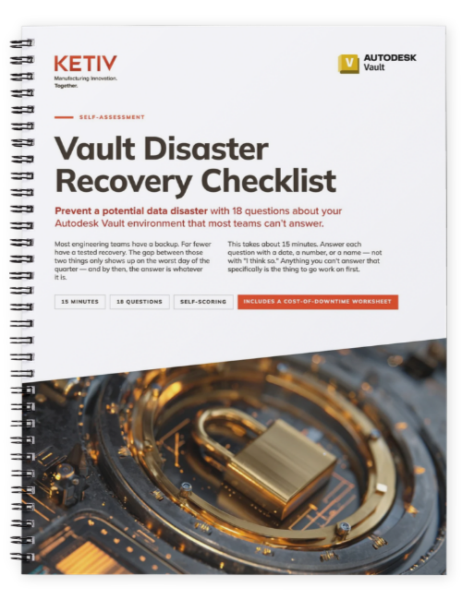
Vault Disaster Recovery Checklist
Could you actually recover your Autodesk Vault environment after a failure?
Use this 18-question self-assessment to uncover gaps in your backup and recovery strategy, estimate your real recovery readiness, and identify what needs attention before an outage puts engineering work on hold.
Most engineering teams have a backup. Far fewer have tested whether they can actually recover from it.
This 15-minute assessment helps you evaluate the parts of Autodesk Vault disaster recovery that are easy to overlook, from restore testing and recovery time to backup integrity, offsite copies, credentials, and ownership. Answer each question with a specific date, number, or name, then score your environment and identify the gaps worth addressing first.
A Backup Is Only Useful If You Can Recover From It
Your Autodesk Vault environment contains more than CAD files. File store data, SQL databases, version history, metadata, permissions, and the infrastructure supporting them all have to come back together correctly when something goes wrong.
That makes “we have backups” only the beginning of the conversation.
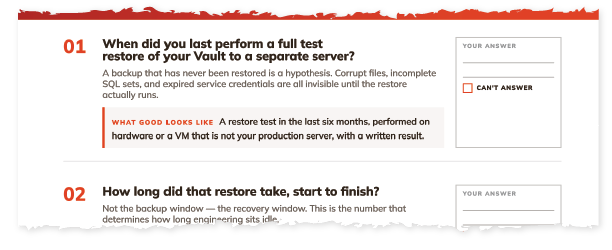
The Autodesk Vault Disaster Recovery Checklist is a practical, 18-question self-assessment designed to help engineering and IT teams understand how prepared they really are. It walks through five areas of recovery readiness, including restore testing, backup integrity, offsite protection, access and credentials, and ownership and documentation.
You won’t need to grade yourself on vague best practices. Each question asks for something concrete: a date, a measured recovery time, a documented owner, a known retention period, or another answer you should be able to verify.
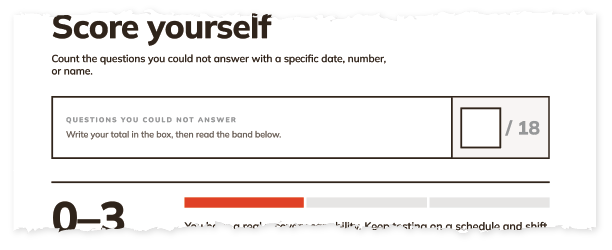
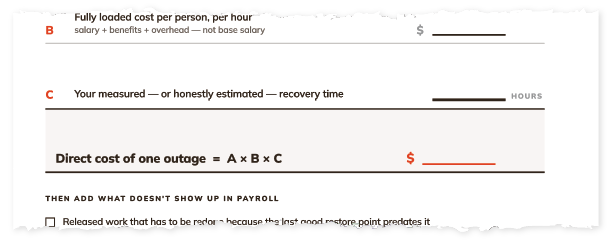
Once complete, you’ll score your environment to see whether your recovery capability is covered, unverified, or exposed. The checklist also includes a Cost of Downtime Worksheet that helps translate recovery time into the direct cost of having engineers and designers unable to work.
It takes about 15 minutes. More importantly, it can expose the questions you’d rather answer now than during an actual outage.