
Ansys CFX: The Reference CFD for Rotating Machinery
Built for pumps, fans, compressors, and turbines
Ansys CFX Overview
Built for the geometry that spins
CFX assumes you’re modeling rotating machinery and is designed accordingly. Workflows are organized around stages, blade rows, and interfaces. The solver is coupled and conservative. The post-processor knows what a span-wise efficiency chart should look like. For a steady or transient compressor map, CFX gets you from CAD to a defensible result with fewer judgment calls than a general-purpose CFD code would demand.
- Streamlined turbo workflow with stages, interfaces, and passages as first-class objects
- Coupled pressure-based solver with industry-validated turbulence physics
- Transient blade row (TBR) methods for aeromechanics without modeling the full wheel
- Real-gas and steam property tables for refrigerant cycles and steam turbines
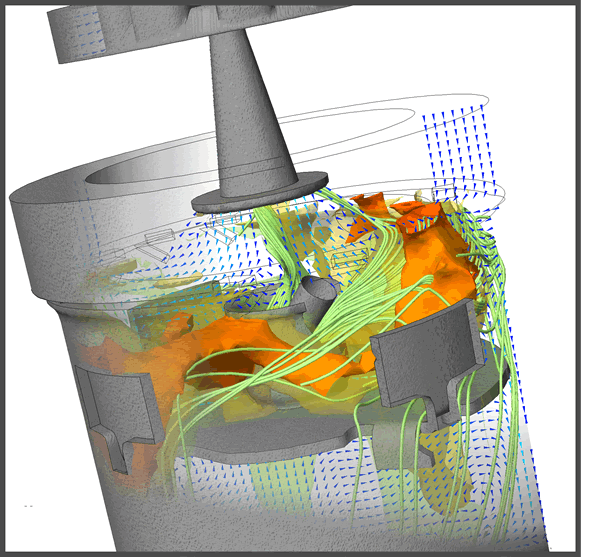
💡Spotlight: Getting aeromechanics answer without meshing 80 blades
Forced response and flutter analyses don’t require running a full-annulus, full-wheel transient. CFX’s transient blade row methods (Fourier transformation, profile transformation, and harmonic balance) let you simulate one passage and recover the full-wheel response.
CFX or Fluent: Which one for your problem?
Both solvers belong to the same Ansys Fluids family. CFX is the right pick when the work is rotating machinery. Fluent is the right pick when the problem is broader: external aero, combustion, multiphase, or particle-laden flow. Our Which Ansys CFD product is right for you? session walks through how to decide.
Ansys CFX highlights
Ansys CFX is built around the physics that decides whether a turbomachinery design hits its efficiency target: blade-passage flow, rotor-stator interaction, real-gas thermodynamics, and the aeromechanics that determine durability. The same CFD software handles a steady stage analysis, a transient blade row run, and a full multi-stage compressor map without bouncing between tools. The highlights below are what turbomachinery engineers reach for first when fluid flow, heat transfer, and structural loading all have to balance inside one design.
Ansys CFX applications
Engineers run Ansys CFX across every industry where rotating machinery determines whether a product hits its performance target. The same CFD software covers aero and industrial gas turbines, centrifugal and axial pumps, HVAC blowers, multi-stage compressors, and hydraulic turbines, with real-gas and steam property handling for the cycles where ideal-gas assumptions break down. The applications below show where CFX’s blade-passage physics earns its place in turbomachinery design and validation work.
Gas turbines
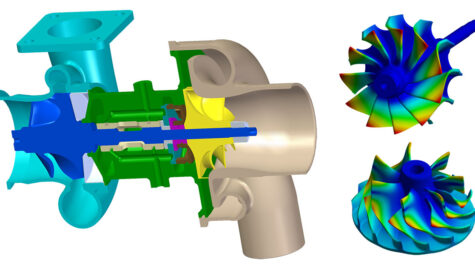
Aero and industrial gas turbine teams use CFX for blade-row aerodynamics, cooling-passage CHT, and aeromechanics across compressor and turbine stages. The result is a defensible efficiency and durability prediction before metal gets cut.

Pumps and hydraulic machinery
Centrifugal and axial pumps, mixed-flow stages, and hydraulic turbines. CFX handles cavitation, off-design operation, and rotor-stator interaction with the same workflow you used for the design point.
Fans and blowers
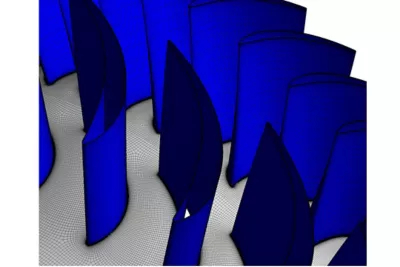
Industrial fans, HVAC blowers, and cooling fans for electronics and electric machines. Predict aerodynamic losses, pressure rise across the operating curve, and tonal noise sources from rotor-stator interactions.

Compressors and expanders
From multi-stage axial compressors to scroll and screw expanders, CFX’s real-gas and IAPWS steam models keep the thermodynamics honest where ideal-gas assumptions break down.
Ansys CFX CFD software capabilities
CFX’s depth comes from decades of blade-passage validation layered onto a CFD workflow built around how turbomachinery engineers actually work. The coupled pressure-based solver, transient blade row methods, and real-gas property handling sit inside one environment, with meshing and model setup organized around stages and interfaces rather than generic flow domains. The capabilities below are where CFX separates from general-purpose CFD software, and where a turbomachinery engineer gets the control to push a simulation from a sizing approximation to a result that holds up against test-stand data.
Key features of Ansys CFX
HFSS is the premier EM tool for R&D and virtual design prototyping, effectively reducing design cycle time while enhancing product reliability and performance.
- Blade design and optimization workflow with BladeModeler integration
- Aeromechanics: transient blade row, harmonic balance, forced response
- Industry-leading turbulence model library, including the GEKO model
- Subcooled wall boiling with validated bubble-growth and drag models
- Real-gas property handling via REFPROP and IAPWS steam tables
Blade design and optimization
CFX integrates with BladeGen, BladeModeler, and TurboGrid for an end-to-end blade workflow: parameterize the blade, mesh the passage, run the solve, evaluate stage performance, and feed the result back into the geometry. Combine with Workbench DOE to sweep stagger, camber, or lean and pick the design that hits the performance target.
Aeromechanics with transient blade row methods
Forced response and flutter analyses on a per-passage basis using Fourier transformation, profile transformation, and harmonic balance. The 2026 R1 generalized-force calculation makes convergence of the forcing term observable, which means fewer over-cautious iteration counts.
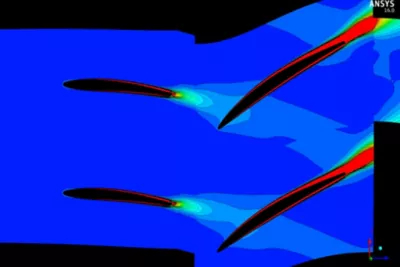
Turbulence: the GEKO model
CFX includes Ansys’ Generalized k-ω (GEKO) model, which exposes physically meaningful coefficients an engineer can tune for separation behavior, jet spreading, or mixing-layer development.
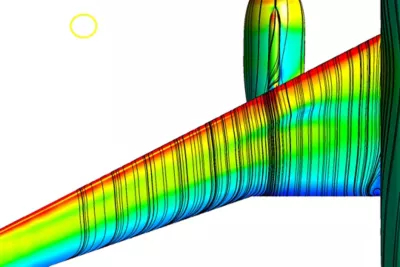
Subcooled wall boiling
Wall-boiling physics with models for bubble growth, phase change, drag, and non-drag forces, plus a calculation of the critical heat flux. Nuclear safety analyses and condenser and evaporator design lean on these models.
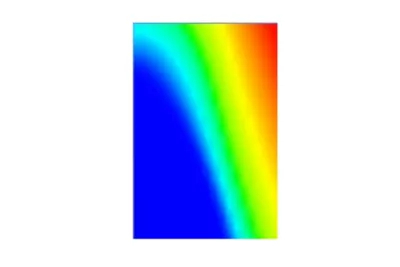
Material modeling for real gases and steam
Real-gas property tables can be created from the REFPROP database with adaptive methods that resolve property changes near the critical point, which matters for refrigerant and supercritical-CO₂ cycles. Liquid water and steam properties come from the built-in IAPWS database.
Multi-stage CFD modeling
Stage and Frozen Rotor interfaces let you run full multi-stage machines steadily, then refine to transient where the physics demand it. Pitch-change interfaces handle blade counts that don’t share a common factor.

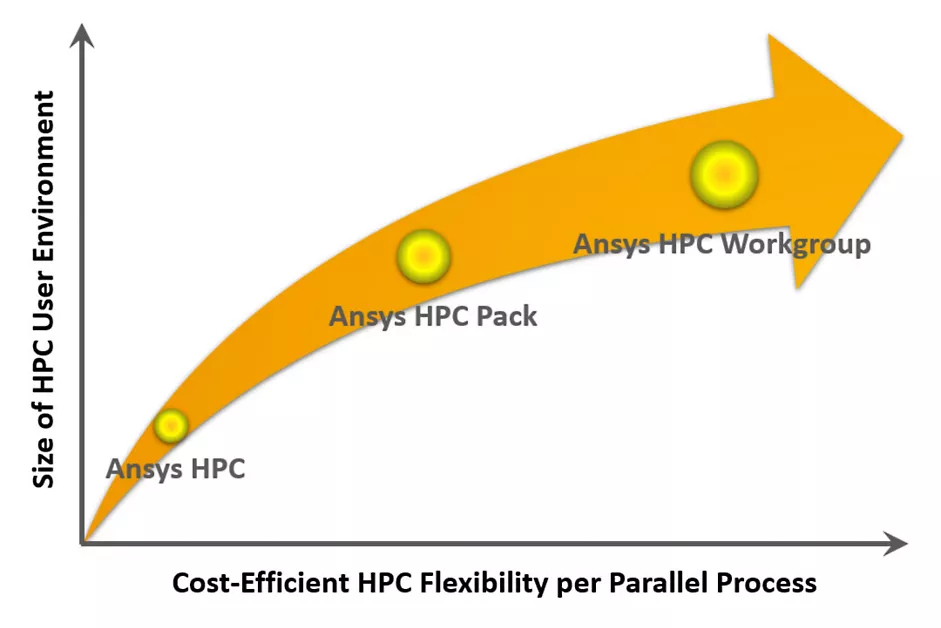
Highly scalable HPC
The CFX solver scales near-linearly across CPU cores in our customer experience and is the default choice when the mesh count crosses 50 million elements. Pair with KETIV’s Ansys-optimized workstation guidance to right-size hardware for the job.
CEL expressions and session scripting
CFX Expression Language (CEL) lets you define boundary conditions, monitors, and post-processed quantities symbolically. Combine with session files (or, in 2026 R1, with PyCFX) and a manual run-set becomes an automated DOE driver.

Ready to start working with Ansys CFX?
Frequently Asked Ansys CFX Questions
-
Ansys CFX is a computational fluid dynamics solver built for rotating machinery: pumps, fans, compressors, turbines, and hydraulic equipment. Engineers use it to predict stage efficiency, pressure rise, cavitation, aeromechanical loading, and off-design performance before a prototype is cut. Decades of blade-row validation make it the default tool when a CFD result has to hold up against test-stand data.
-
Transient blade row (TBR) methods let you simulate one blade passage and recover the full-wheel unsteady response, instead of meshing and solving the entire annulus. CFX supports Fourier transformation, profile transformation, and harmonic balance methods. The practical impact: forced response and flutter analyses that would otherwise require modeling 80 blades can run on a single passage, in a fraction of the wall time.
-
Gas turbines (compressor and turbine stages, cooling passages, aeromechanics), centrifugal and axial pumps including cavitation and off-design work, industrial fans and HVAC blowers, multi-stage axial compressors, hydraulic turbines, and scroll or screw expanders. CFX’s real-gas and IAPWS steam property handling also makes it the default for refrigerant cycles, supercritical-CO₂ loops, and steam turbine work.
-
Yes. CFX builds real-gas property tables from the REFPROP database with adaptive resolution near the critical point, which matters for refrigerant and supercritical-CO₂ cycles where ideal-gas assumptions break down. Liquid water and steam properties come from the built-in IAPWS database, which is the standard reference for steam-cycle thermodynamics.
-
Yes. The coupled pressure-based solver scales near-linearly across CPU cores and is the default choice when mesh counts cross 50 million elements. KETIV helps customers right-size hardware through Ansys-optimized workstation and HPC guidance, so you’re not buying compute you don’t need or starving the solver of cores it does.
-
Pricing for Autodesk Fusion Manage depends on the number of users, license type (participant, standard, enterprise), and required integrations. As an Autodesk Gold Partner, KETIV provides customized pricing, implementation services, and ongoing support. Use this page to request a quote and get tailored pricing for your organization.
-
US-based technical support from engineers who run turbomachinery CFD every day. That includes deployment, training, blade-passage workflow setup, transient blade row scoping, and direct help when a project hits a wall: convergence issues on a coupled solver, rotor-stator interface tuning, or matching solver choice to your stage geometry. KETIV is an Ansys Select Channel Partner with full access to Ansys resources plus a local team who knows your account.